For gated communities and the security companies that staff them
Guard Management That Replaces the Clipboard, Not Just Digitizes It
GuardWatch tracks guard attendance, verifies patrols with GPS and checkpoint scans, captures incidents from the field, and gives supervisors one live view across every site.
Part of the same platform as visitor management and the resident app. Looking for attendance specifically? See guard attendance software.
- Live GPS visibility
- QR patrol checkpoints
- Digital incident logs
- Guard app included
Guard Operations Break Down Without Real Records
Paper logs and phone calls cannot prove what happened on a shift — for either side of the gate.
For gated communities
-
No proof a guard was on post
A signature in a register does not confirm when a shift actually started.
-
Skipped rounds go unnoticed
Without checkpoints, a guard's claimed patrol route cannot be verified.
-
Incidents lost in translation
Verbal handovers mean details fade before they reach the committee.
For security companies
-
No live view across sites
Supervisors rely on phone calls to check coverage at each client location.
-
Hard to defend client complaints
Without time-stamped records, disputes come down to whose word is trusted.
-
Schedules scattered everywhere
Shift rosters live across paper sheets, spreadsheets, and group chats.
One Shift, Fully Accounted For
From roster to report — every step leaves a digital record instead of a memory.
-
1
Assign sites & shifts
Set up client sites or community gates and schedule which guards are on duty.
-
2
Guard checks in
The guard opens the app and starts Time IN for the shift — no register to sign.
-
3
Live GPS visibility
Supervisors can see the guard is active for the duration of the shift.
-
4
Checkpoints scanned
The guard scans QR checkpoints along the assigned patrol route.
-
5
Incidents logged on the spot
Notes and time-stamps are captured from the field, not recalled later.
-
6
Supervisor verifies & reports
The dashboard shows attendance, patrol completion, and incidents — ready to share.
See What Guards and Supervisors Actually Use
One app for the field, one dashboard for oversight.
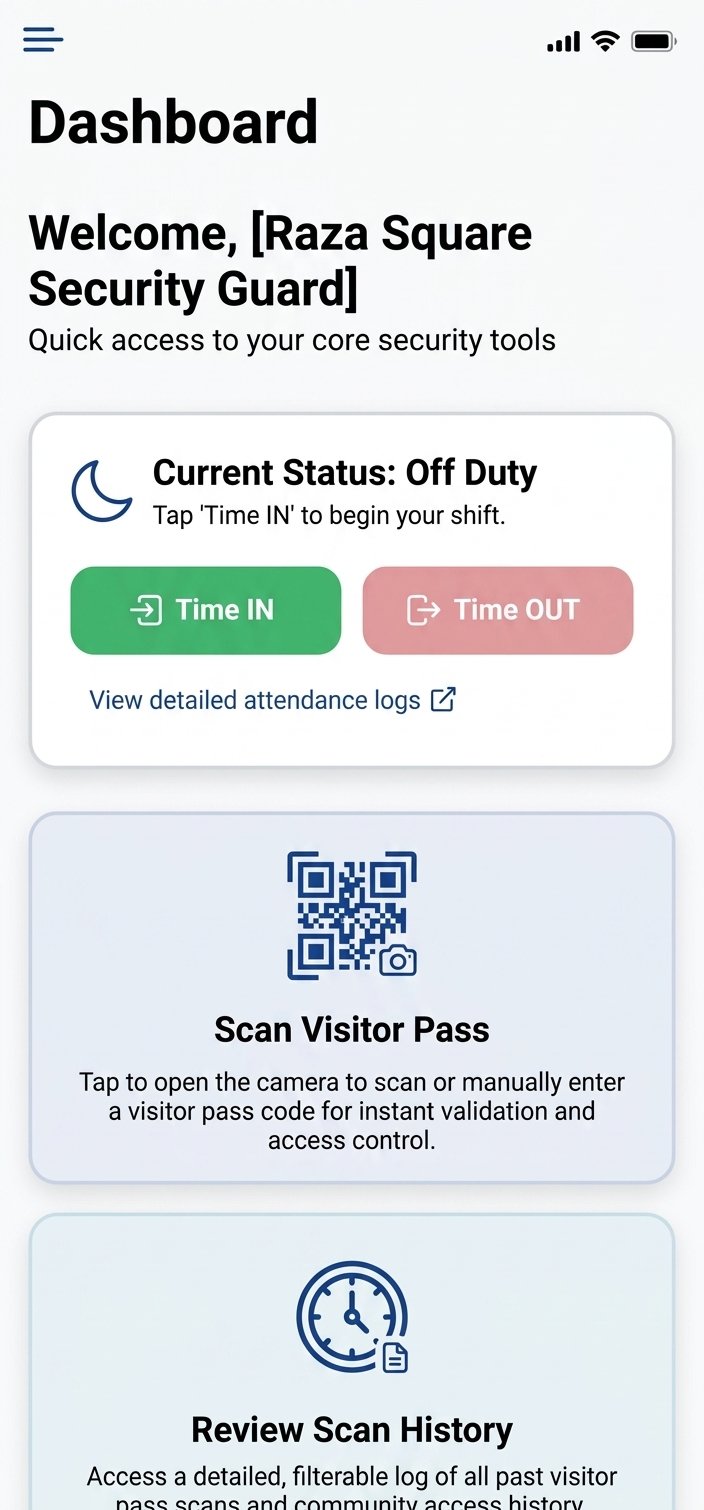
Guard App
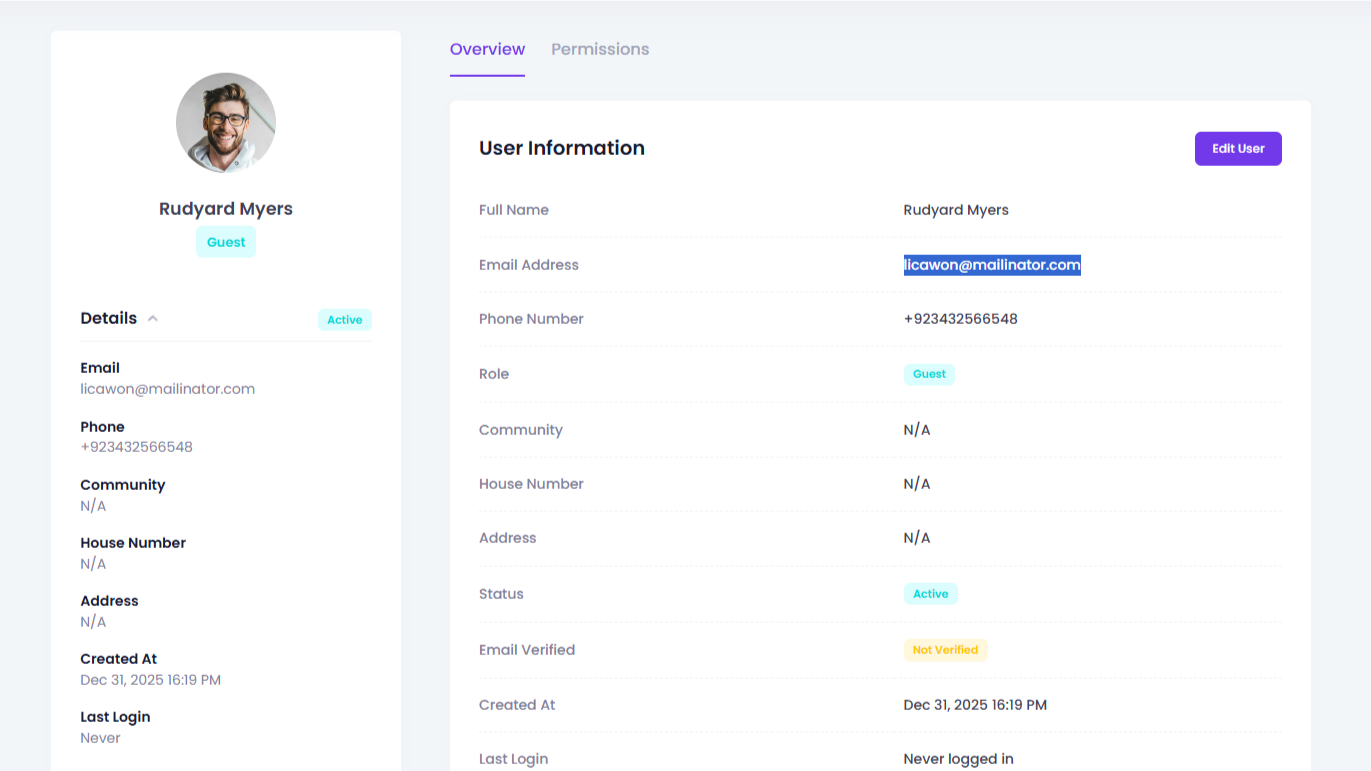
Supervisor Dashboard
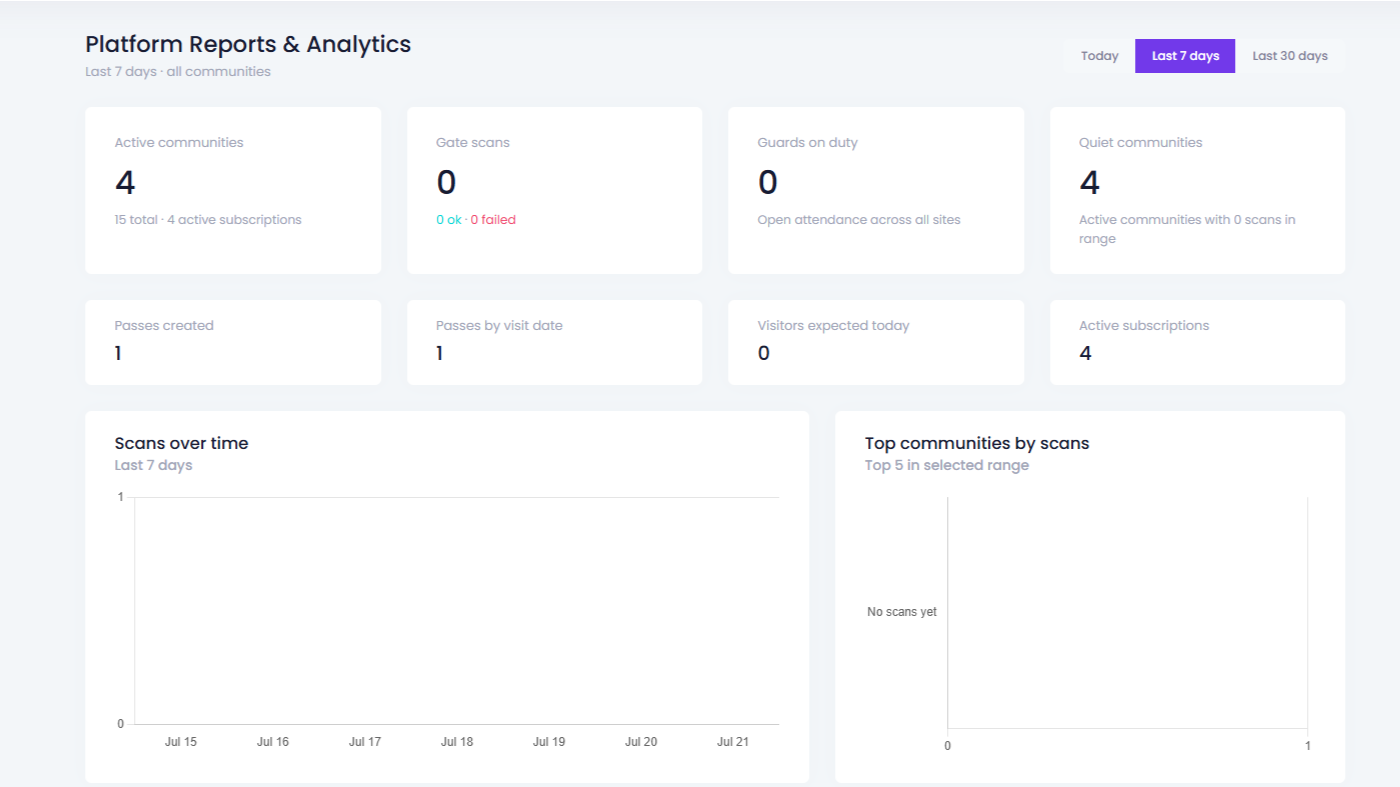
Attendance & Reports
Built for the field, not a desk
- Time IN / Time OUT in one tap
- QR checkpoint scans along the patrol route
- Incident notes captured with time and location
What it means day to day
What Changes Once Guards Go Digital
Each capability solves a specific accountability gap — not a feature checkbox.
-
Always know who is on duty
Time IN / Time OUT replaces the register — supervisors see on-duty status without a phone call.
-
Prove every patrol happened
QR checkpoints and GPS visibility turn "the guard did the rounds" into a record supervisors can check.
-
Catch problems while they are small
Incidents are logged from the field with time and notes, instead of being recalled at end of shift.
-
Guards work from their phone
Check-ins, scans, and incident notes all happen in the same guard app — nothing to carry or lose.
-
Nobody misses a shift by accident
Sites and rosters are assigned in the system, so coverage gaps show up before a shift starts, not after.
-
Turn activity into reports people trust
Attendance, patrol, and incident data roll up into records supervisors can share with clients or boards.
Attendance
Attendance That Reflects Who Actually Showed Up
Every shift starts with a Time IN and ends with a Time OUT — not a signature that could belong to anyone.
- Only one open session per guard at a time — no ambiguous double punches.
- Optional GPS is captured with each punch when the device allows it — never required to clock in.
- If a guard forgets to clock out, an admin can force-close the session so records stay accurate.
Illustrative guard session — not real data
North Gate — Guard on shift
Site: Main entrance
Time IN
Recorded
Time OUT
— open —
Reports
Reports Your Clients and Boards Will Actually Read
Attendance, patrol, and incident activity roll up automatically — no one has to compile a summary by hand before a meeting.
- Attendance summaries by guard, site, and date range for payroll or client billing checks.
- Patrol completion history tied to checkpoint scans — useful evidence for client reviews.
- Incident history that HOA boards and security company clients can review directly.
Clipboard vs GuardWatch
The same guard operation, with and without a digital record.
| Capability | Paper & clipboard | GuardWatch |
|---|---|---|
| Guard attendance | Signed register, easy to backdate | Time-stamped Time IN / Time OUT |
| Patrol verification | Guard's word that rounds happened | QR checkpoint scans with time & location |
| Incident reporting | Verbal handover, details fade | Logged instantly with time and notes |
| Multi-site visibility | Phone calls to check each site | Live dashboard across every site |
| Client / board reporting | Manual compilation before meetings | Reports ready without extra work |
| Historical search | Flip through old logbooks | Filter by guard, site, or date |
Guard Management FAQs
Answers security company owners, operations managers, and community boards ask before buying guard software.
What is security guard management software?
Security guard management software is a digital platform that helps security companies and gated communities track guards, verify patrols, manage attendance, log incidents, and report activity from one dashboard — instead of paper logs and verbal updates.
How do security companies track guards in real time?
With GuardWatch, supervisors use live GPS visibility and a central dashboard to see where guards are across client sites. Guards check in on mobile, and location data helps confirm they are on duty and following assigned coverage.
How does GuardWatch prevent buddy punching and fake patrols?
Buddy punching and false patrol claims are reduced with mobile check-ins, GPS verification, and QR checkpoint scans along patrol routes. Supervisors can review who checked in, where, and whether required stops were completed.
What is guard tour or patrol verification?
Guard tour management means assigning a route with checkpoints that guards must scan or confirm during a shift. GuardWatch records each checkpoint with time and location so managers can prove patrols were completed — useful for clients and audits.
Can I monitor security guards remotely?
Yes. Managers and supervisors can monitor guard activity remotely through the GuardWatch dashboard: live tracking, scan history, attendance, and incident reports — without relying only on phone calls or end-of-shift paper logs.
Is GuardWatch only for security companies?
No. GuardWatch is built primarily for gated communities, while security companies that staff those communities also use the same guard tracking, patrol, and reporting tools. Visitor QR entry and resident apps serve the community side of the same operation.
How do I get started with GuardWatch guard management?
Book a demo or contact sales. We help you set up sites, guards, and reporting workflows, then train supervisors and field staff. Most teams start with attendance and visitor/gate scanning, then expand into patrol verification and incident reporting.