Before: Verbal call-ups and guesswork
After: Every legitimate visit starts with a resident-owned pass.
Solutions · Access Control
Access control on GuardWatch means every visit has a resident owner, a time-bound QR pass, and a gate check — so “send them up” is no longer your only policy.
Related: Visitor management · QR passes · Resident app
The problem
When entry depends on a phone call to a resident who may not answer, the gate becomes both a bottleneck and a security gap.
Guards cannot prove which household approved a visitor when the board asks later.
Verbal call-ups slow expected guests and invite shortcuts under pressure.
Paper notes and memory do not survive shift changes or committee audits.
HOAs, facility managers, and security leads who need clearer entry rules without turning the gate into a bottleneck.
Board-level accountability when someone asks who approved a visitor.
Consistent entry rules across towers and lobbies.
A verify step that replaces messy verbal call-ups.
One continuous path — request, approval, verification, record.
The household invites a guest, delivery, or service visit for their unit.
The visitor receives a time-bound code on their phone — no paper slip.
Security scans the QR and confirms the host unit before entry.
Managers can answer who entered later without hunting a register.
Before: Verbal call-ups and guesswork
After: Every legitimate visit starts with a resident-owned pass.
Before: Passes that never expire in practice
After: Visit windows make “current approval” clear at scan time.
Before: No trail when something goes wrong
After: Scans leave a searchable history for managers and boards.
Before: Slow peak-hour queues
After: Expected guests move faster; unexpected ones get a clear process.
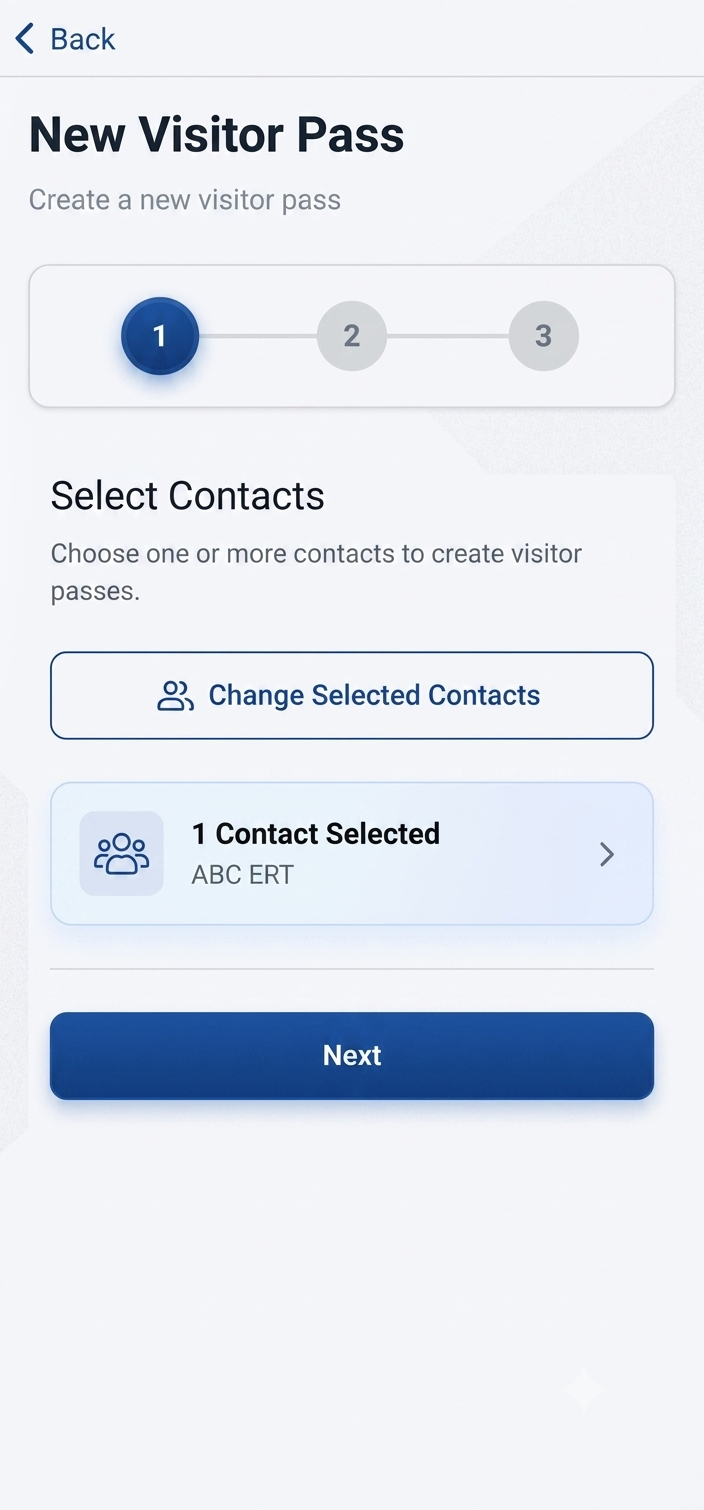
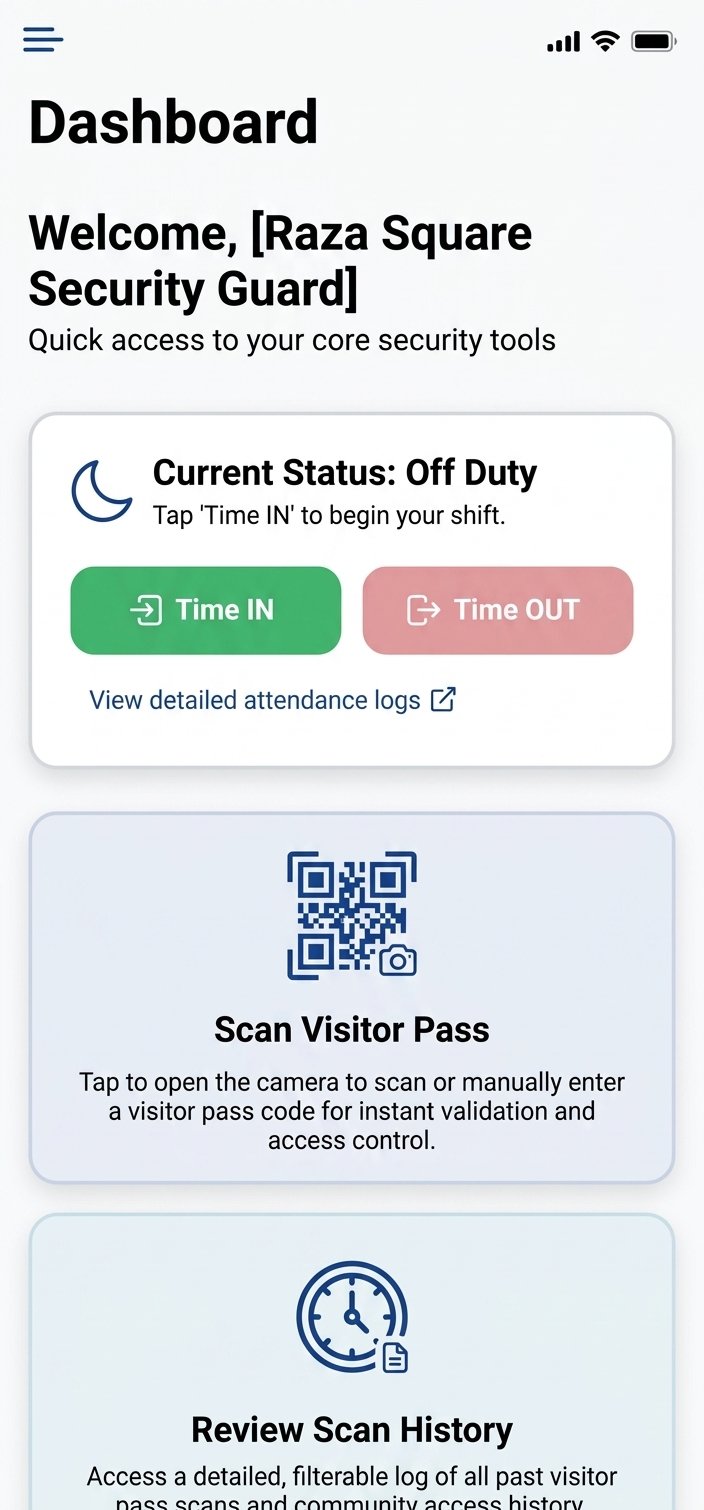
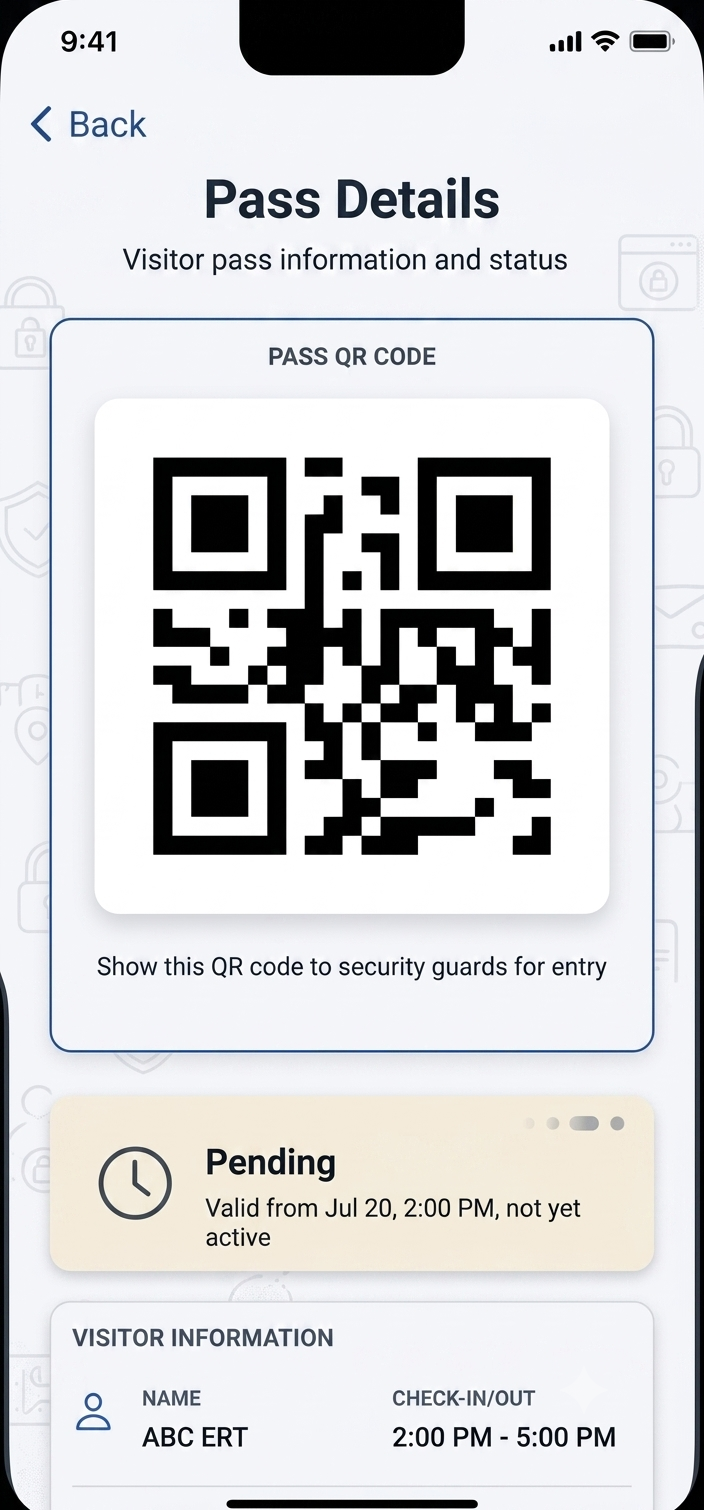
Product walkthrough
Watch the mobile create → share → scan flow, then book a live session tailored to your society’s exception rules.
Start with clear policy at one entrance, then expand towers and shifts.
Agree what happens when a resident does not answer or a pass is missing.
Households create time-bound QR invites for guests and help.
Guards practice success and fail scans before peak hour.
Managers confirm the digital trail matches board expectations.
Without a resident-created pass, the guest does not have a valid QR for that visit. Guards can stop the entry or follow your society’s exception process — instead of relying on a verbal “send them up” call.
Passes are tied to a visit window. When the window ends, the code is no longer treated as a current approval at the gate, which reduces reused or shared passes.
Yes. The QR confirms the visit is expected and which unit approved it. Guards still follow your site rules for visual checks — the scan replaces the paper book, not professional judgment.
Yes. Residents can create passes suited to one-time guests or regular visitors such as domestic help, so frequent arrivals do not force a fresh phone call every day.
Every scan creates a digital record managers can review later. Residents see activity tied to their household; community admins can review broader gate history according to their role.