Head of Household
Full control over visitor invites, family members, and unit-level approvals.
Resident App
The GuardWatch resident app lets every household invite visitors, approve gate entry, add family members, and share QR passes for guests and deliveries — without a single phone call to the gate.
Explore related: Visitor management · QR visitor pass · Housing societies
Who it's for
One app, several roles — every household member gets the access level that fits them.
Full control over visitor invites, family members, and unit-level approvals.
Each family member can invite their own guests within household rules.
Renters manage their own visitors directly, without going through the owner.
Owners with more than one unit manage visitor access per property.
Invite Flow
No phone calls to the gate. No guessing who is expected.
Step 1
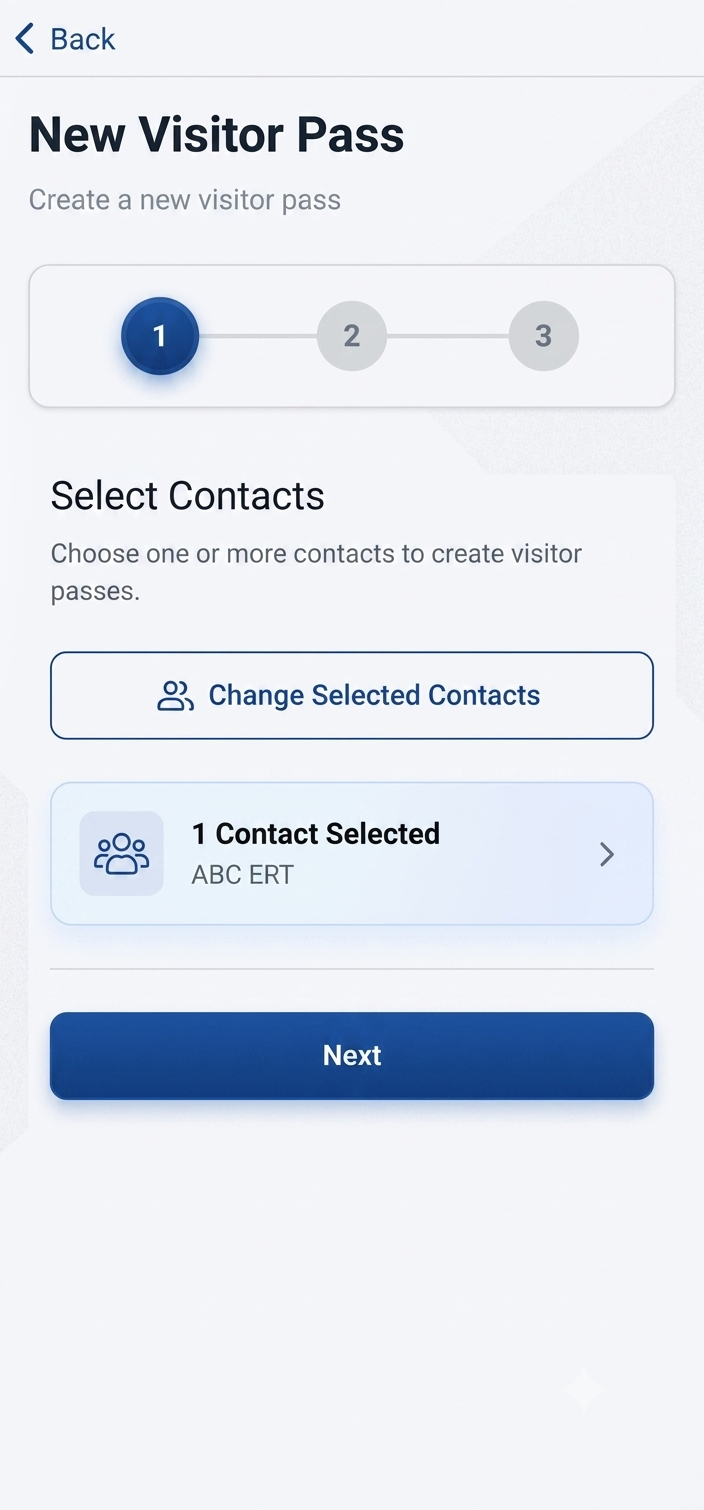
Enter the visitor's name and visit window from the resident app.
Step 2
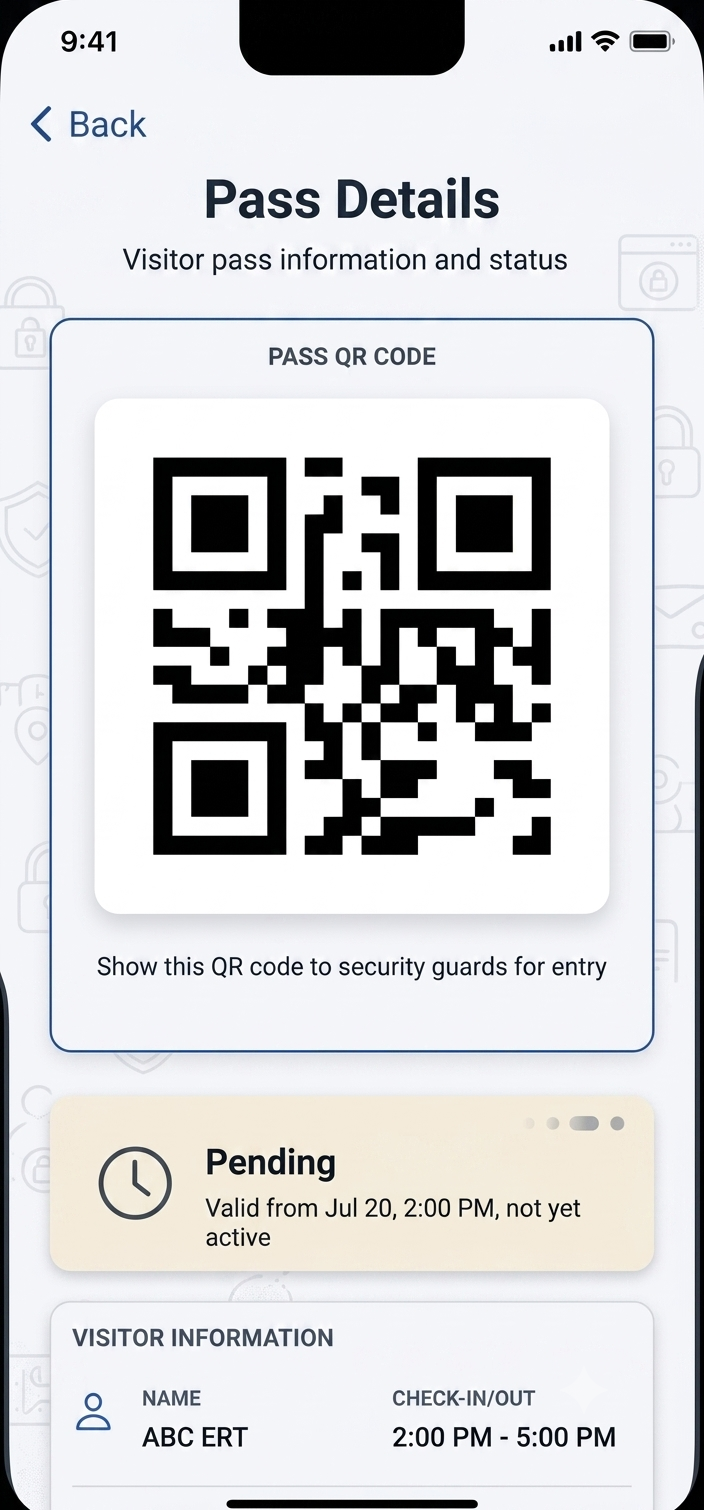
GuardWatch generates a unique, time-bound QR visitor pass instantly.
Step 3
Send the pass via WhatsApp, SMS, or a direct link — no app required for the guest.
Step 4
Security verifies the pass and host unit in seconds, no call-up needed.
Step 5
The resident app confirms the moment your guest has entered.
Approvals & Notifications
Residents decide who gets a pass before a guest ever reaches the gate. Once a guard scans the QR code, the resident app sends a real-time notification confirming who entered and when.
In-app notifications
Illustrative in-app notifications — actual layout may vary.
Family Members
Households are rarely just one person — GuardWatch reflects that.
The head of household adds spouses, children, and dependents to the unit.
Each family member can log in and invite their own guests.
The head of household can still see all visitor activity for the unit.
Delivery & Recurring Access
Not every visitor is a one-time guest. GuardWatch lets residents create passes suited to how often someone actually visits — from a single parcel to a daily helper.
A quick QR pass for a single food or parcel delivery.
Standing passes for domestic help or day workers who visit regularly.
QR Sharing
Visitors just show the QR code at the gate. No installs, no waiting.
Share the QR pass directly in a WhatsApp chat with your guest.
No smartphone or app needed on their end — a text message works too.
Send a link that opens the pass in any mobile browser.
Product Screens
A closer look at what residents and their guests actually see.
Outcomes
Real outcomes for residents — not a list of features.
Guards call your unit to confirm every guest.
Approve visitors from the app before they arrive.
Guests move through without a call-up.
Writing down guest names takes time at the gate.
Generate a QR pass in the app in seconds.
Guests are verified and logged automatically.
Only one person can manage household guests.
Add family members with their own app access.
Everyone in the household can invite guests.
Riders and workers wait at the gate for approval.
Create one-time or recurring passes in advance.
Deliveries and regular help move in smoothly.
You find out about a guest after the fact.
Get a notification the moment a pass is scanned.
Always know who entered — and when.
No record of who visited your unit last month.
Every invite and scan is stored automatically.
Look up any past visit in seconds.
FAQs
Answers households ask before inviting their first guest.
From the resident app, a household enters the guest name and expected visit window. GuardWatch generates a unique QR pass that can be shared instantly via WhatsApp, SMS, or a direct link — no separate app install needed for the guest.
Yes. A visitor pass is created by a resident before the guest arrives, so entry is always tied to an approval from the household. Guards scan the QR code at the gate to confirm the pass instead of relying on a verbal call-up.
Yes. The head of household can add family members to the unit, and each family member can get their own app access to invite guests. The head of household retains visibility over all visitor activity for the unit.
Residents can create a one-time QR pass for a single delivery or a recurring pass for domestic help and day workers who visit regularly, so frequent visitors do not need a fresh approval every time.
Residents are notified when a visitor request needs approval and again when a guard scans that guest in at the gate, so households know who entered and when without checking a paper register.
No. Guests only need to show the QR pass shared with them — by WhatsApp, SMS, or a link opened in any mobile browser. Only residents and guards need the GuardWatch apps.
Yes. Every invite and gate scan tied to a household is stored, so residents can look back at who visited their unit and when, instead of relying on memory or a shared paper log.